
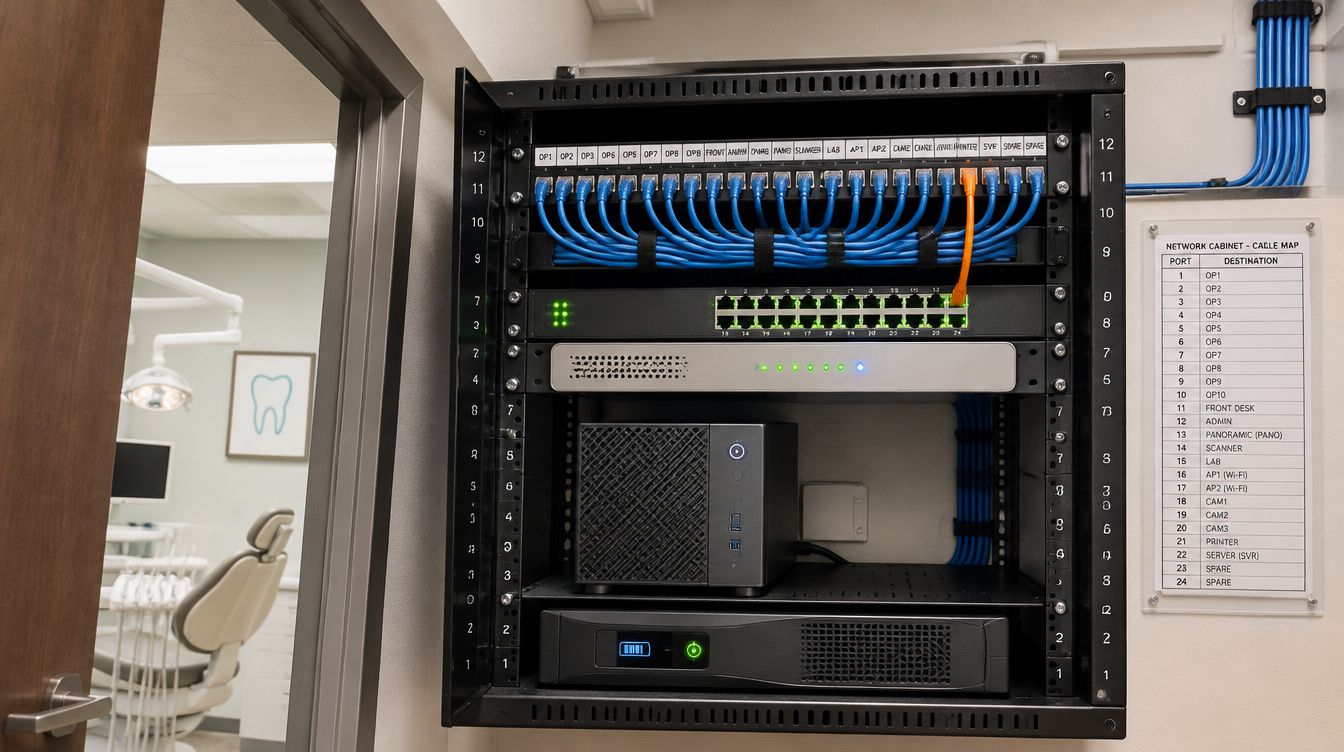
Carestream's practice software needs a dedicated Windows Server machine that meets the vendor's published hardware and operating-system list, backed up every night with all of its data together. ClearMax technicians size, build and install that server as part of a New York dental office buildout, and move the data across when an existing practice relocates.
Last updated: November 2026
Which product, and whose requirements?
Carestream Dental's practice management line now sits under the Sensei name: SoftDent and PracticeWorks are both described as Sensei products, and their current requirement sheets are published on the Sensei site with a Carestream Dental copyright. Each product has its own sheet, the sheets change with each version, and the vendor asks practices to check the latest one before buying anything. The plan always starts from the sheet for the exact version the practice runs.
What does the SoftDent server sheet ask for?
For SoftDent version 20 and later, the vendor's sheet sets out:
- A dedicated server. Carestream Dental recommends a server used only to run SoftDent Server, and it does not support Small Business Server or Windows Server Essentials.
- Recommended hardware: a 64-bit Core i7 quad-core or equivalent processor, 16 GB of memory, 500 GB of free disk space and a gigabit network card.
- Supported server systems: Windows Server 2016, 2019 and 2022 Standard.
- Workstations: Windows 10 or 11 Professional; Home and Student editions are not supported.
- Backups: a nightly backup, with SQL and non-SQL data backed up together.
The sheet also lists a minimum configuration, but a new office is built to the recommended column, since image libraries and staff counts only grow. Printers, scanners and signature pads have their own lines on the same sheet, so the front desk equipment is checked against it too; for example, the sheet says network scanners are not supported for image and document scanning.
Who sets up the backups?
The office does, through its technician. PracticeWorks' technical pack says the technician who sets up the office is fully responsible for configuring the hardware and training the practice to save and restore a backup, and that its support desk does not train offices on configuring backups or restoring a database. That makes the backup design part of the buildout, not something to sort out after opening.
- Nightly backup of everything the sheet names, SQL and non-SQL together.
- A second copy outside the building, encrypted, with the key kept apart from the server.
- A test restore onto separate hardware at handover, with the date recorded.
Why the off-site copy matters in this city
Con Edison called Hurricane Sandy, with more than 650,000 Con Edison customers in New York City and Westchester without power, the largest storm-related outage in its history. A server in a closet that loses power for days, or water at floor level, is only as good as the copy kept somewhere else. The battery in the closet exists to shut the server down cleanly; the off-site copy is what brings the practice back.
The office's position on the city's risk maps affects that plan. NYC Emergency Management tells residents not to use FEMA's flood zones to decide whether to evacuate in a coastal storm, since those zones set insurance and building code requirements. A practice checks both, its flood zone for where the closet goes, and its hurricane evacuation zone for when the office will be closed and the server shut down.
Moving an existing database to a new server
When a practice relocates or retires an old machine, the move follows the vendor's restore procedure for a new server, which the technical pack covers. In practice:
- The new server is built to the current sheet and tested before the move.
- After the last patient, a final backup is taken, verified, and restored to the new machine.
- Each workstation is pointed at the new server, and imaging, printing and the scheduler are checked at every desk.
- Next morning, staff open old charts, old images and old appointments before the first patient.
- The old server stays untouched until the practice signs off, then its drives are wiped or destroyed with the date recorded.
Third-party programs tied to the practice software are checked first: the vendor's sheet says compatibility of other companies' software with a new version is the office's responsibility.
Questions about the server
Can the server run anything else?
Not if the vendor's recommendation is followed. A dedicated server avoids conflicts and keeps updates predictable.
Is a hosted version an option?
If the vendor offers a hosted version for the practice's product, its requirements are compared with the practice's internet line before either option is recommended.
How much disk space should the server start with?
At least the recommended column on the sheet, then more for images. Imaging libraries grow every year, so the drive plan covers several years of growth and the backup target is sized to match.
Where does the server sit?
In the IT closet on the cabling plan, on the battery, off the floor, and on the clinical network that patient WiFi cannot reach.